Cognitive Accessibility and the EAA: Why WCAG Compliance Isn't Enough

Your product passes automated WCAG 2.1 AA checks. Your accessibility statement is published. Your legal team is satisfied. And yet a significant share of your users - people with dyslexia, ADHD, memory difficulties, or intellectual disabilities - may still find your service genuinely unusable.
This is the cognitive accessibility gap. It is real, it is widespread, and under the European Accessibility Act (EAA) it carries both ethical and legal weight. This article explains where the gap sits, what the standards actually say, and what product managers, content designers, and compliance leads need to do about it.
The EAA's Legal Floor - and Its Ceiling
The European Accessibility Act (Directive 2019/882) entered enforcement on 28 June 2025. For digital products and services, the technical standard that operationalises it is EN 301 549 - the harmonised European standard for ICT accessibility. EN 301 549 directly references WCAG 2.1 Level AA for web content, following the same Perceivable, Operable, Understandable, Robust (POUR) structure.
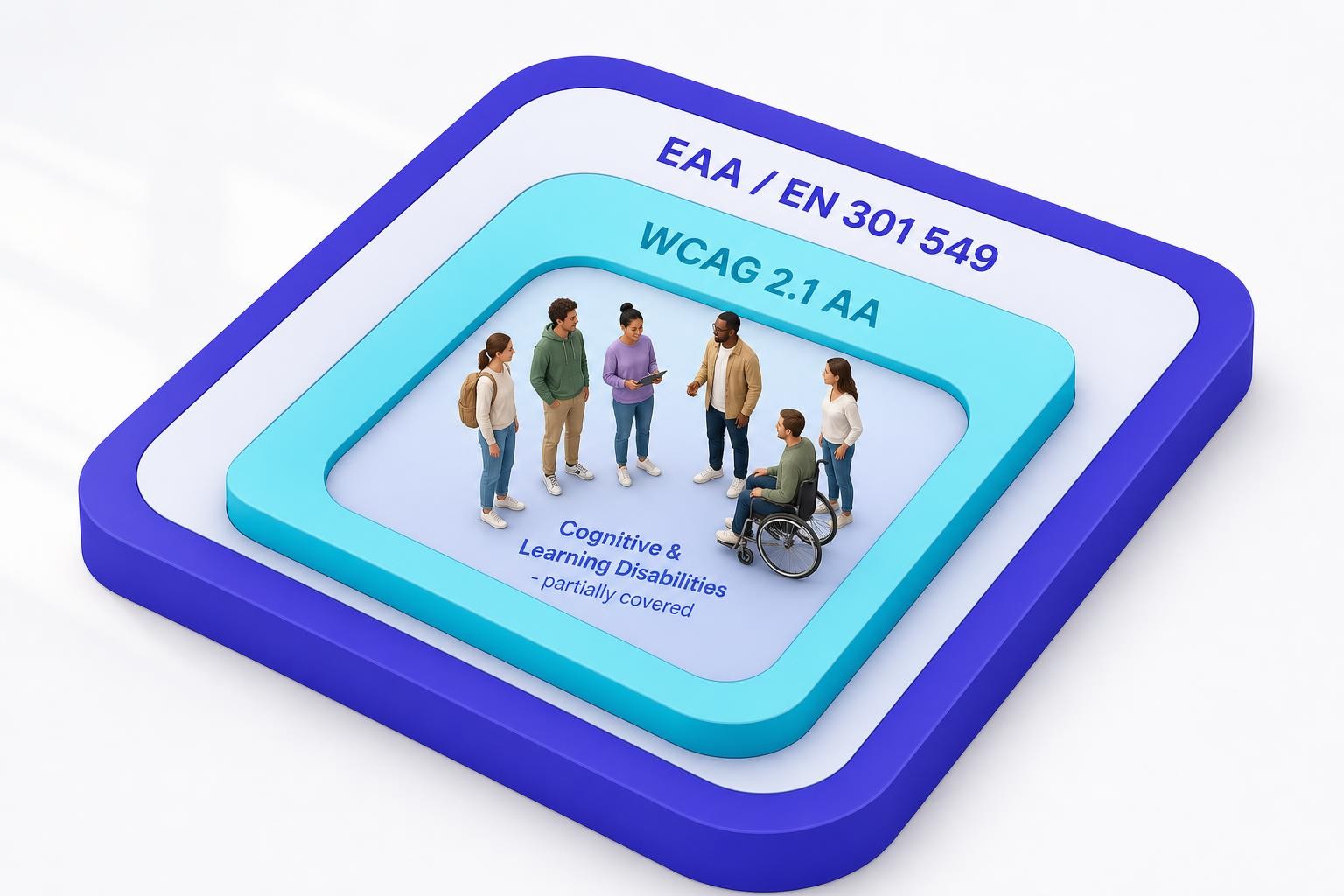
Meeting WCAG 2.1 AA is therefore the floor - the minimum required for a presumption of conformity with the EAA. But it is not a ceiling, and it is emphatically not a guarantee that your product works for people with cognitive and learning disabilities.
EN 301 549's functional performance criteria go further than a checklist of technical pass/fail tests. They articulate high-level requirements for user needs across disability groups, including cognition. The standard's "Understandable" principle requires that content and controls be comprehensible to all users regardless of cognitive ability - covering clear instructions, error messages, and navigation. Satisfying the letter of WCAG 2.1 AA does not automatically satisfy that principle for users with significant cognitive or learning disabilities.
Who We're Talking About
The population affected is large and heterogeneous. Dyslexia affects an estimated 5-10% of the global population - up to 700 million people worldwide. ADHD affects an estimated 5-7.2% of children and 2.5-6.7% of adults globally. Add people with acquired brain injuries, dementia, intellectual disabilities, and age-related cognitive decline, and cognitive accessibility becomes relevant to a substantial proportion of any product's user base - not a niche edge case.
These users are not a monolith. Dyslexia primarily affects reading fluency and decoding. ADHD affects attention, working memory, and impulse control. Intellectual disabilities affect comprehension and abstract reasoning. Memory difficulties affect multi-step task completion. A product that works for one group may still exclude another.
Where WCAG Falls Short
WCAG 2.1 and 2.2 do address some cognitive needs. The "Understandable" principle (Guideline 3.1-3.3) covers language of page, unusual words, abbreviations, reading level, and error prevention. But several of these are Level AAA - the voluntary tier that most teams, and the EAA itself, do not require.
WCAG 2.2, published in October 2023, added nine new success criteria, several of which directly benefit users with cognitive disabilities. The most significant are:
- 3.3.7 Redundant Entry (Level A): Information previously entered in a process must be auto-populated or selectable - users should not be forced to re-enter the same data, which is particularly burdensome for people with memory or attention difficulties.
- 3.3.8 Accessible Authentication - Minimum (Level AA): A cognitive function test - such as memorising a password or solving a puzzle - must not be the only authentication method. Password managers, biometric login, or copy-paste must be permitted.
- 3.2.6 Consistent Help (Level A): Help mechanisms that appear on multiple pages must appear in the same relative position, reducing the cognitive effort of locating support.
These additions matter. But they still leave large areas of cognitive experience unaddressed by any normative WCAG criterion: reading complexity, consistency of layout and terminology, avoidance of time pressure, support for users who lose their place in a multi-step flow, and the comprehensibility of error messages beyond their mere presence.
WCAG 3.1.5 Reading Level — which requires content to be supplemented with a lower-complexity version when it exceeds lower secondary education level — is Level AAA. The EAA does not require AAA conformance. Teams that rely solely on WCAG AA compliance have no normative obligation to address reading complexity at all. That is the gap.
The COGA Guidance: Supplemental, Not Optional in Spirit
W3C's Web Accessibility Initiative (WAI) recognised this gap and established the Cognitive and Learning Disabilities Accessibility Task Force - known as COGA. The COGA Task Force published "Making Content Usable for People with Cognitive and Learning Disabilities" (available at w3.org/TR/coga-usable/) as a Working Group Note in April 2021. The document covers objectives for usable content, design patterns, user personas, and guidance on including people with cognitive disabilities in research and testing.
Critically, the document is explicit about its status: the COGA guidance provides informative "supplemental guidance" beyond the requirements of WCAG 2, and is not required for conformance to WCAG. That is precisely the problem. The most comprehensive, evidence-based guidance for cognitive accessibility sits outside the normative standard that the EAA references.
Following COGA is not required to claim WCAG conformance. But ignoring it while claiming your product is accessible to people with cognitive disabilities is not defensible - technically, ethically, or, increasingly, legally.
Plain Language, Easy-to-Read, and the Spectrum of Comprehension Support
Two related but distinct practices address the language dimension of cognitive accessibility.
Plain language is communication in which wording, structure, and design are clear enough that readers can find what they need, understand it, and use it. ISO 24495-1:2023, published in June 2023, is the first international standard for plain language, establishing four governing principles: relevance, findability, understanding, and usability. The standard was developed by experts from 25 countries representing 19 languages and applies to most written languages. Plain language is not about dumbing down - it is about putting the reader first, considering their level of expertise and the context in which they will use the document.
Easy-to-Read (E2R) is a related but more specialised practice. Inclusion Europe, the European organisation representing people with intellectual disabilities, pioneered the Easy-to-Read format and developed European guidelines for it. E2R goes further than plain language: it uses very short sentences, simple vocabulary, active voice, and supporting images, and - crucially - requires that materials be reviewed and validated by people with intellectual disabilities before publication. The Inclusion Europe logo signals that a publication meets these standards.
The two are not interchangeable. Plain language serves a broad audience including people with dyslexia, low literacy, or limited domain knowledge. Easy-to-Read targets people with intellectual disabilities specifically and involves a more structured production process with user validation built in.
For most EAA-regulated products, plain language is the practical starting point. E2R versions of key content - terms of service, help documentation, error messages - represent a higher level of inclusion that some organisations will choose to provide.
Practical Techniques: What Cognitive Accessibility Actually Looks Like
The COGA guidance organises its design patterns around eight objectives. Translated into day-to-day product and content decisions, cognitive accessibility means:
Language and content
- Write in plain language: short sentences, active voice, common words. Aim for a reading age appropriate to your audience - not the lowest possible, but not unnecessarily complex.
- Avoid jargon, idioms, and unexplained abbreviations. When technical terms are unavoidable, define them on first use.
- Provide summaries at the top of long pages or processes. Tell users what they are about to do before they do it.
Structure and navigation
- Use clear, descriptive headings that allow users to scan and locate content without reading everything.
- Keep navigation consistent across pages. Do not move menus, change labels, or restructure layouts between sections.
- Use meaningful link text - not "click here" or "read more" - so users understand the destination without surrounding context.
Interaction and forms
- Break complex processes into clearly labelled steps. Show progress. Tell users how many steps remain.
- Do not impose time limits unless essential. If you must, give users the ability to extend or disable them.
- Auto-populate previously entered information (WCAG 3.3.7). Never ask users to remember information from one screen to the next.
- Write error messages that explain what went wrong and how to fix it - not just that something is wrong.
Distraction and control
- Do not auto-play audio or video. Give users control over moving content and animations.
- Avoid pop-ups and overlays that interrupt task flow without warning.
- Ensure adequate line spacing, font size, and contrast to reduce reading effort.
The Limits of Automated Tools
This is where many compliance programmes hit a wall. Automated accessibility scanners are excellent at catching technical failures: missing alt text, empty form labels, insufficient colour contrast ratios, missing language attributes. They are structurally incapable of measuring comprehension.
Reading level, content organisation, and clarity cannot be evaluated by automated rules. A form can pass every automated check and still be confusing and frustrating to use. An error message labelled "Field invalid" passes contrast checks - it does not pass comprehension checks for users with cognitive load constraints. A scanner can confirm that a menu is keyboard-accessible; it cannot tell you whether the menu labels are clear enough to navigate.
This is not a criticism of automated tools - it is a description of their scope. The same limitation applies to accessibility overlays: no overlay can rewrite your content into plain language, restructure your navigation, or simplify your error messages. Cognitive accessibility requires human judgement and, ultimately, user testing with people who have cognitive and learning disabilities.
WCAG 3.1.5 (Reading Level) is a Level AAA criterion - most teams skip it entirely, and no automated tool can reliably assess whether content meets it. The gap between what scanners catch and what cognitive users experience is not a tooling problem to be solved by a better scanner. It is a design and content problem that requires deliberate human effort.
A Note on AI-Assisted Plain Language
Large language models can help teams draft plain-language or Easy-to-Read versions of complex content at scale - a genuine productivity gain for content designers working through large documentation sets. But AI-generated plain language requires careful human review. LLMs can introduce subtle inaccuracies when simplifying technical or legal content, and they cannot validate whether the output is actually comprehensible to the specific users you are designing for. AI is a drafting aid, not a testing substitute. The validation step - testing with real users who have cognitive disabilities - remains irreplaceable.
How to Build Cognitive Accessibility In
Run your highest-traffic pages and critical user journeys through a readability assessment. Flag content that exceeds your target reading level, contains unexplained jargon, or uses passive voice and complex sentence structures. Use ISO 24495-1 as your framework.
Walk through your key user journeys — onboarding, checkout, account management, support — and check each against the COGA objectives at w3.org/TR/coga-usable. Identify where users are asked to remember information, where navigation changes, where time limits apply, and where error messages are vague.
If you have not already, implement 3.3.7 Redundant Entry, 3.3.8 Accessible Authentication, and 3.2.6 Consistent Help. These are normative requirements under WCAG 2.2 and represent the minimum cognitive baseline. Verify that password managers and paste are permitted on all authentication fields.
Error messages are one of the highest-impact, lowest-effort cognitive accessibility improvements. Replace technical codes and vague labels with specific, actionable guidance: not 'Invalid input' but 'Your date of birth must be in DD/MM/YYYY format'.
Any process longer than two steps should show users where they are, how many steps remain, and what information they will need. This reduces cognitive load and abandonment for users with memory or attention difficulties.
Schedule moderated usability sessions with participants who have dyslexia, ADHD, intellectual disabilities, or acquired cognitive impairments. Observe where they hesitate, lose their place, or misread instructions. No automated report can surface these moments — only real users can.
For terms of service, privacy notices, and key help content, commission Easy-to-Read versions following Inclusion Europe guidelines. Ensure they are reviewed and validated by people with intellectual disabilities before publication.
The Compliance Risk Is Real
The EAA's Annex I functional performance criteria and information requirements call for information to be understandable - not merely perceivable. That language pulls in reading level and comprehension, not just technical structure. Teams that treat cognitive accessibility as "already handled by WCAG" are exposed on two fronts: real user exclusion, and a compliance argument that does not hold up when regulators look beyond the automated scan report.
The strongest position - legally and ethically - is to document your cognitive accessibility work explicitly: the COGA patterns you have applied, the plain language review you have conducted, and the user testing you have carried out with people who have cognitive disabilities. That documentation demonstrates good-faith effort in the areas where WCAG is silent.
Cognitive Accessibility Is Not a Niche
Cognitive and learning disabilities represent the largest disability category. Dyslexia alone affects hundreds of millions of people worldwide. Add age-related cognitive decline, ADHD, and acquired brain injuries, and the population that benefits from cognitive accessibility design is not a small edge case - it is a significant proportion of your users, many of whom have never been formally diagnosed with anything.
The good news is that most cognitive accessibility improvements are good UX for everyone. Plain language reduces support calls. Consistent navigation reduces abandonment. Clear error messages reduce form re-submission. Progress indicators reduce drop-off. The investment pays back beyond the accessibility use case.
But the investment has to be made deliberately. It will not happen as a side effect of passing an automated WCAG scan. It requires content designers who understand plain language principles, product managers who build cognitive accessibility into acceptance criteria, and compliance leads who know that the EAA's "understandable" requirement means more than a checkbox.
Frequently Asked Questions
Does the EAA require WCAG 2.2 or WCAG 2.1?
The harmonised standard EN 301 549 currently references WCAG 2.1 Level AA. WCAG 2.2 is not yet mandated, but EU Member States may voluntarily adopt it, and implementing the WCAG 2.2 cognitive criteria (3.3.7, 3.3.8, 3.2.6) is strongly recommended as best practice and provides a stronger compliance position.
Is the COGA guidance legally binding under the EAA?
No — the W3C COGA document 'Making Content Usable for People with Cognitive and Learning Disabilities' is informative supplemental guidance, not a normative standard. However, the EAA's functional performance criteria reference usability for people with limited cognition, and COGA provides the most authoritative available framework for meeting that requirement in practice.
What is the difference between plain language and Easy-to-Read?
Plain language (standardised by ISO 24495-1:2023) is communication designed so that readers can find, understand, and use information — it serves a broad audience including people with dyslexia, low literacy, or limited domain knowledge. Easy-to-Read (E2R) is a more specialised format targeting people with intellectual disabilities, using very short sentences, simple vocabulary, and supporting images, and requiring validation by people with intellectual disabilities before publication. Inclusion Europe developed the European E2R guidelines and logo.
Can automated tools test cognitive accessibility?
No. Automated tools can check technical attributes — alt text, contrast ratios, label associations — but cannot assess whether content is comprehensible, whether navigation is predictable, or whether error messages are actionable. Cognitive accessibility requires manual review against plain language and COGA criteria, and user testing with people who have cognitive and learning disabilities.
Does improving cognitive accessibility require a complete redesign?
Rarely. The highest-impact improvements — rewriting error messages in plain language, adding progress indicators to multi-step flows, making navigation consistent, and permitting password managers — are incremental changes that can be prioritised and shipped in sprints. A content audit against plain language principles is a good starting point and typically surfaces quick wins alongside longer-term structural work.
Related reading
Accessible Payment Authentication and Identity Checks: 3-D Secure, SCA and KYC Flows Under the EAA
Strong customer authentication and ID verification are where accessible checkout and onboarding quietly break: SMS codes, smartphone-only approvals, selfie capture and timed steps. How the EAA, WCAG 2.2 and SCA fit together, and how to offer methods that do not depend on one device or ability.
WCAG 2.5.8 Target Size (Minimum): The 24px Rule, Its Five Exceptions, and the Dragging Fix Most Teams Skip
WCAG 2.2 added a 24 by 24 CSS pixel minimum for pointer targets and a single-pointer alternative for dragging. What 2.5.8 and 2.5.7 require, how the exceptions work, CSS patterns that pass, and how to apply the thresholds on iOS and Android.
Chatbot and AI Assistant Accessibility Under the EAA: Streaming Replies, Focus Management and the Widget Nobody Tested
Chat widgets and AI assistants sit inside checkout, banking and support flows the EAA covers, yet streaming responses, focus handling and launcher buttons routinely fail screen reader and keyboard users. What WCAG AA requires, how EU AI Act transparency duties interact, and a build-and-test checklist.