WCAG 2.2 SC 3.3.8 Accessible Authentication: What It Means and How to Pass It

Login is the first thing millions of disabled users hit every day - and for many, it's also where they get locked out. A CAPTCHA with no audio alternative. A password field that blocks paste. An OTP that vanishes before it can be copied. These aren't edge cases; they're the norm, and they disproportionately harm people with cognitive disabilities, dyslexia, motor impairments, and memory conditions.
WCAG 2.2 finally named the problem directly. Success Criterion 3.3.8 Accessible Authentication (Minimum) is a new Level AA criterion introduced in WCAG 2.2, sitting under Guideline 3.3 (Input Assistance). It gives developers and product teams a clear, testable rule: you cannot require a "cognitive function test" to log in unless you also provide a way around it. This post goes deep on exactly what that means, what breaks it, and how to build a login flow that genuinely passes.
What Is a Cognitive Function Test?
The term sounds clinical, but the concept is simple. A cognitive function test is any task that requires a user to remember, manipulate, or transcribe information from memory.
The W3C's Understanding document is explicit: memorising or transcribing a username, password, or one-time code places a very high or impossible burden upon people with certain cognitive disabilities. The definition covers:
- Remembering a site-specific password - the classic case
- Solving a CAPTCHA - identifying distorted text, clicking traffic lights, solving a puzzle
- Transcribing a code - reading a number shown on screen and re-typing it without being able to copy/paste
- Security questions - "What was the name of your first pet?" requires unaided recall
- Pattern gestures - drawing a specific gesture on a touchscreen from memory
One important nuance: entering your own name, email address, or phone number is not a cognitive function test. These are personal facts that don't change between sites and don't require memorisation in the same way. The barrier is site-specific secrets and arbitrary puzzles, not identity information the user already knows fluently.
The Exact Requirement: Four Ways to Pass SC 3.3.8
SC 3.3.8 states that a cognitive function test is not required for any step in an authentication process unless that step provides at least one of the following four conditions:
| Condition | What It Means | Practical Example |
|---|---|---|
| 1. Alternative | Another authentication method that does not rely on a cognitive function test is available. | Offer passkey / WebAuthn login alongside the password form. |
| 2. Mechanism | A mechanism is available to assist the user in completing the cognitive function test. | Allow password manager autofill and paste into password/OTP fields. |
| 3. Object Recognition | The cognitive function test asks the user to recognise objects in images. | A CAPTCHA that asks 'select all images containing a bicycle' (not distorted text). |
| 4. Personal Content | The test asks the user to identify non-text content they themselves provided to the site. | Asking a user to pick their own profile photo from a set. |
A critical point that teams often miss: if there is more than one step in the authentication process - such as with multi-factor authentication - all steps need to comply with SC 3.3.8. You can't pass the password step and then fail on the OTP step. Every gate in the flow needs a compliant path through it.
Conditions 3 (Object Recognition) and 4 (Personal Content) are AA exceptions — they satisfy 3.3.8 but are not sufficient for the stricter Level AAA criterion, SC 3.3.9. The W3C notes that while these techniques are excepted at AA, they do not fully support the cognitive accessibility community and should be avoided if better alternatives are available.
SC 3.3.8 vs SC 3.3.9: The AA/AAA Distinction
SC 3.3.9 Accessible Authentication (Enhanced) is the Level AAA companion criterion, and it is identical to 3.3.8 except that it removes the object recognition and personal content exceptions. Under 3.3.9, a "select all images with a car" CAPTCHA does not pass - you must offer a fully cognitive-test-free path regardless.
For most teams, AA is the compliance target. But if your product serves users with significant cognitive disabilities - mental health platforms, government services, healthcare portals - treating 3.3.9 as your internal bar is the right call.
Common Failures in the Wild
These are the patterns that reliably break SC 3.3.8. If any of these are in your login flow, you have a conformance failure.
1. Blocking Paste into Password or OTP Fields
This is the most widespread failure. Some teams disable paste "for security reasons" - but blocking paste into password fields fails SC 3.3.8 because it prevents password managers from filling the field, removing the mechanism that assists users. The UK's National Cyber Security Centre has explicitly argued against this practice, and the W3C's own Understanding document cites paste support as a sufficient technique.
2. Suppressing autocomplete on Password Fields
Setting autocomplete="off" or omitting autocomplete="current-password" on a login field prevents browsers and password managers from autofilling credentials. This removes the mechanism that makes password-based login accessible. The correct markup is:
<input type="password" autocomplete="current-password" />
For OTP fields, use autocomplete="one-time-code" so that browsers on iOS and Android can surface the code automatically from SMS.
3. Image-Only CAPTCHA with No Alternative
A CAPTCHA that shows distorted text and offers no audio alternative, no object-recognition variant, and no bypass mechanism fails on multiple fronts. Even an audio CAPTCHA can fail if it requires the user to transcribe what they hear - if a user needs to transcribe audio content from a CAPTCHA, that audio alternative cannot be used to meet the Alternative exception under SC 3.3.8.
4. Security Questions Requiring Unaided Recall
"What was your childhood nickname?" is a pure cognitive function test with no mechanism to assist. If this is the only path through account recovery, it fails.
5. OTP Codes That Must Be Memorised and Re-Typed
Sending a six-digit code via SMS or email is acceptable - but only if the user can copy and paste it, or if the OS autofills it. If your OTP field blocks paste and the code expires in 30 seconds, you've created a transcription test under time pressure. That fails.
The Fixes, Ranked
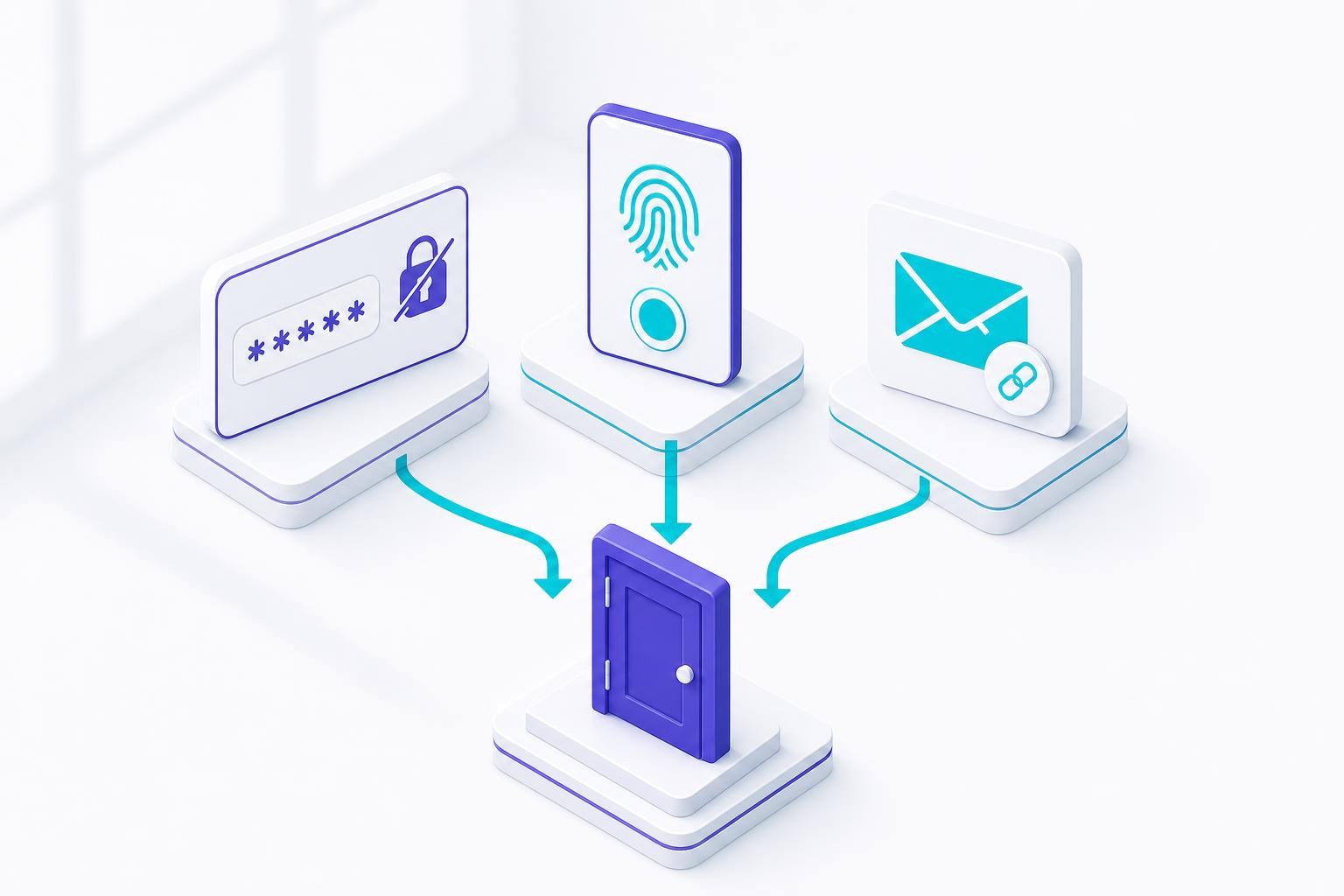
Fix 1: Implement Passkeys / WebAuthn (Strongest)
Supporting WebAuthn automatically meets WCAG 3.3.8 requirements because WebAuthn is a sufficient technique listed in the W3C's Understanding document.
Passkeys work by generating a unique public/private key pair per site. The private key is stored securely on the user's device - in the Secure Enclave on Apple hardware, StrongBox on Android, or a TPM on Windows - and never leaves it. The user authenticates via biometrics (fingerprint, Face ID) or a device PIN. No memorisation, no transcription, no shared secret to steal.
From an accessibility standpoint, this is the cleanest solution: the user's OS handles the authentication UI, which is already designed to be accessible. Apple, Google, and Microsoft have all built passkey support directly into their platforms, making them available on virtually all modern devices.
NIST's 2025 guidelines mandate phishing-resistant MFA - specifically citing WebAuthn and FIDO2 - for all US federal agencies, and the upcoming EN 301 549 v4.1.1 aligns more closely with WCAG 2.2, making passkeys a future-proof investment on both the security and accessibility fronts.
One caveat: always offer a fallback. If a user loses their device or uses an older browser, they need another compliant path. A magic link to their email is a solid fallback - it requires no memorisation and no transcription.
Fix 2: Don't Break Password Managers
If you're not ready to ship passkeys yet, the minimum viable fix is to stop actively breaking the tools users already rely on:
- Allow paste in all password and OTP fields - remove any JavaScript that intercepts
pasteevents - Set correct
autocompleteattributes -current-passwordfor login,new-passwordfor registration,one-time-codefor OTP - Don't force frequent password changes without providing a mechanism to manage them
- Add a "show password" toggle - providing a feature to optionally show a password can improve the chance of success for people with cognitive disabilities or those who have difficulty typing accurately
These changes take hours to implement and immediately unlock compliance for the large majority of users who rely on browser-native or third-party password managers.
Fix 3: Replace Text CAPTCHA with an Accessible Alternative
If you need bot protection, move away from distorted-text CAPTCHAs entirely. Options that can satisfy SC 3.3.8:
- Object recognition CAPTCHA (e.g., "select all images with a bus") - passes at AA, not AAA
- Invisible / behaviour-based CAPTCHA (e.g., hCaptcha's passive mode, Google reCAPTCHA v3) - no user interaction required, so no cognitive test
- Rate limiting + honeypot fields - server-side bot detection with no user-facing puzzle
- Email magic links - eliminates the CAPTCHA need entirely for many flows
Fix 4: OTP Done Right
Email and SMS one-time codes are acceptable under SC 3.3.8 - but only when implemented correctly:
- Allow paste into the OTP field (never block it)
- Use
autocomplete="one-time-code"so iOS and Android can autofill from SMS - Give a generous expiry window - 10 minutes is more accessible than 30 seconds
- Don't require the user to switch apps and memorise the code - the code must be transferable
The W3C's Understanding document is clear: for the purpose of evaluating web content that relies on SMS or email codes, it is assumed that provisions are in place that make the code available in the user's clipboard, and evaluation only requires verifying that the web content allows pasting the clipboard content into the authentication field.
The EAA and EN 301 549 Connection
If you're building for the European market, here's the precise picture:
The current harmonised standard, EN 301 549 v3.2.1, incorporates WCAG 2.1 Level AA in full - which means SC 3.3.8 is technically a WCAG 2.2 addition and sits above the current legal floor. Do not overstate this: 3.3.8 is not yet a hard EAA requirement under the current harmonised standard.
However, EN 301 549 v4.1.1 - expected to be referenced in the Official Journal of the EU around October 2026 - is planned to incorporate WCAG 2.2 AA, which will bring SC 3.3.8 into the formal compliance baseline. A draft (v4.1.0) was released in November 2025 for review.
The practical advice: treat SC 3.3.8 as best practice now. Accessible login sits squarely within the EAA's "understandable and operable" expectations even under the current standard, and any enforcement action that examines login flows will look unfavourably on CAPTCHA-only or paste-blocking implementations. Getting ahead of v4.1.1 costs little and protects you from a compliance gap that closes in 2026.
Testing Checklist for SC 3.3.8
SC 3.3.8 cannot be tested by automated tools alone - the variety of authentication implementations is too wide for reliable automation. Manual testing is required.
Key things to check manually:
- Try logging in using only a password manager - does autofill work? Does paste work if you copy/paste manually?
- Attempt the full MFA flow - does every step have a compliant path?
- Test account recovery - is there a route that doesn't require unaided recall?
- If a CAPTCHA is present - is it object recognition or behaviour-based? Is there an alternative?
- Check
autocompleteattributes in DevTools - are they set correctly on all relevant fields?
The Bottom Line
SC 3.3.8 is not a niche criterion for edge cases. It directly affects every user who relies on a password manager, every user with a memory or cognitive condition, and every user who has ever been locked out by a CAPTCHA they couldn't solve. That's a very large slice of your audience.
The good news is that the fixes are largely additive and low-risk. Allowing paste doesn't weaken security. Setting autocomplete attributes correctly doesn't weaken security. Offering passkeys alongside passwords doesn't weaken security - it strengthens it. The "security vs. accessibility" framing is a false trade-off here: the patterns that fail SC 3.3.8 are also the patterns that security guidance has been pushing teams away from for years.
Fix the paste block. Set your autocomplete attributes. Add a passkey option. Your login flow will be more accessible, more secure, and ready for the EN 301 549 v4.1.1 update when it lands.
Related reading
Accessible Payment Authentication and Identity Checks: 3-D Secure, SCA and KYC Flows Under the EAA
Strong customer authentication and ID verification are where accessible checkout and onboarding quietly break: SMS codes, smartphone-only approvals, selfie capture and timed steps. How the EAA, WCAG 2.2 and SCA fit together, and how to offer methods that do not depend on one device or ability.
WCAG 2.5.8 Target Size (Minimum): The 24px Rule, Its Five Exceptions, and the Dragging Fix Most Teams Skip
WCAG 2.2 added a 24 by 24 CSS pixel minimum for pointer targets and a single-pointer alternative for dragging. What 2.5.8 and 2.5.7 require, how the exceptions work, CSS patterns that pass, and how to apply the thresholds on iOS and Android.
Chatbot and AI Assistant Accessibility Under the EAA: Streaming Replies, Focus Management and the Widget Nobody Tested
Chat widgets and AI assistants sit inside checkout, banking and support flows the EAA covers, yet streaming responses, focus handling and launcher buttons routinely fail screen reader and keyboard users. What WCAG AA requires, how EU AI Act transparency duties interact, and a build-and-test checklist.